San Andreas Online client experience
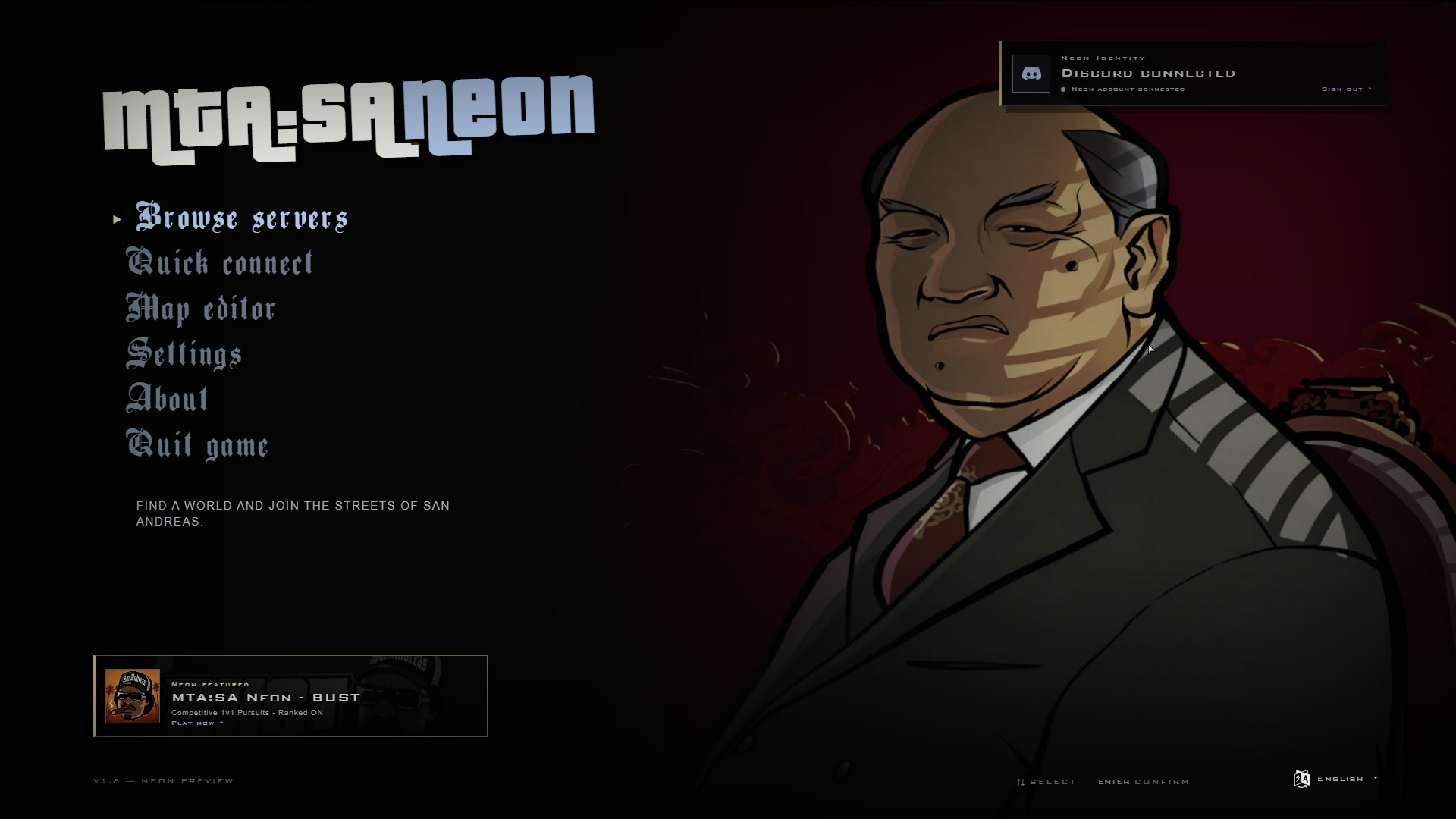
San Andreas Online includes its own GTA:SA-inspired client shell so players can discover and join servers without leaving the visual language of San Andreas. It sits above the existing MTA connection flow rather than replacing its protocol and validation rules.
Find and join a server
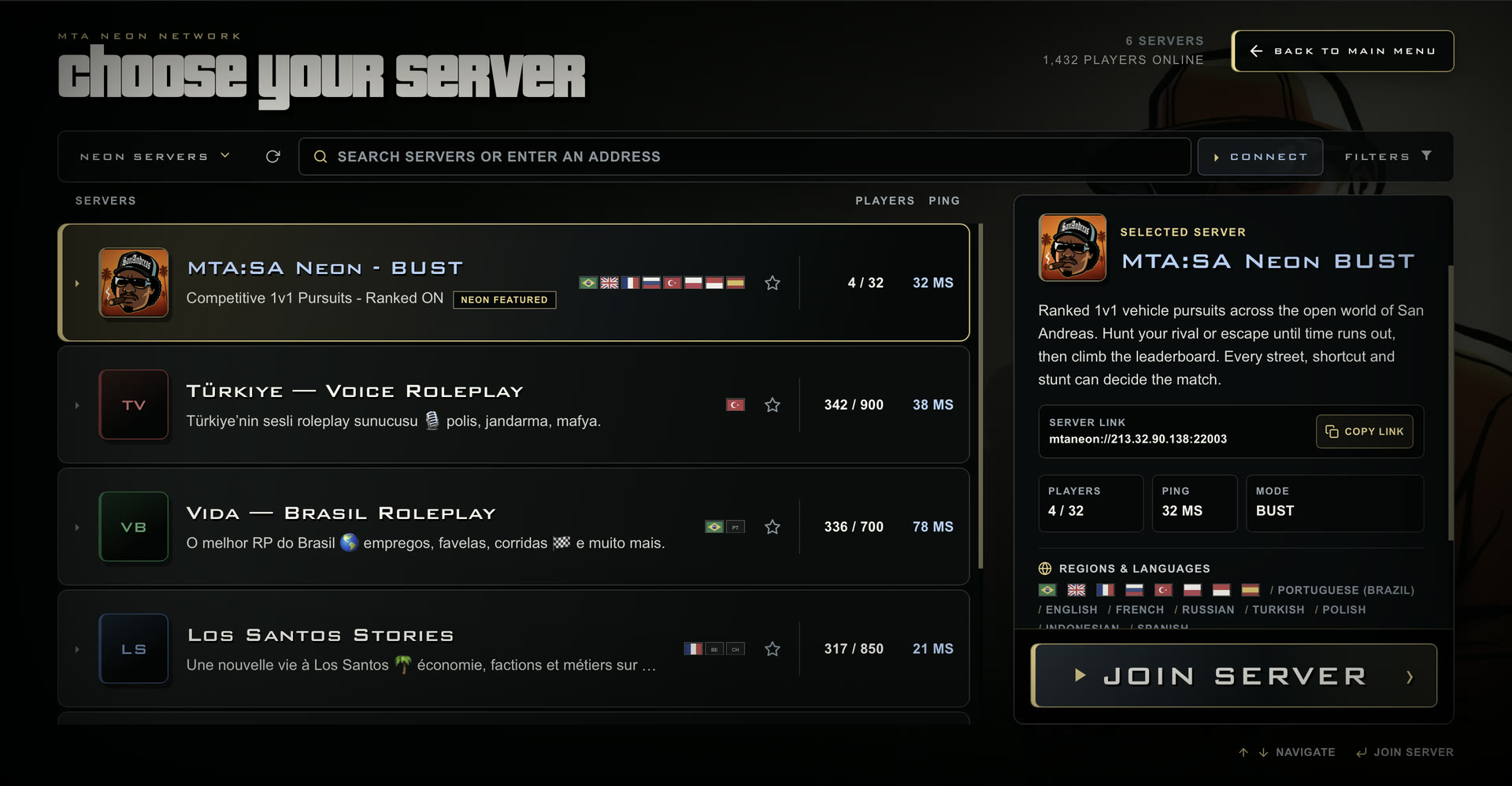
Section titled “Find and join a server”The server browser combines the public San Andreas Online registry with live ASE server data. Players can search and filter the list, keep favorites and recent servers, enter passwords, and follow join progress through cancellation, retry, and failure states.
Registry artwork and metadata are optional. Downloaded assets are validated, sanitized, cached, and replaced by normal fallback presentation when unavailable. Every listed server passed the registry source-IP and ASE publication flow; that is not a cryptographic attestation of the server binary or its resources.
Publish or hide a server
Section titled “Publish or hide a server”A public ASE server publishes to the San Andreas Online registry by default with <neon_registry>1</neon_registry>. Set it to 0 to opt out. Server owners can add optional presentation fields in mtaserver.conf:
neon_registry_taglineandneon_registry_description;neon_registry_countriesandneon_registry_languages;neon_registry_websiteandneon_registry_discord;neon_registry_logo,neon_registry_banner, and a#RRGGBBneon_registry_accent.
Live player count, ping, game mode, map, and password state still come from ASE. Registry publication organizes discovery and optional presentation; it does not certify the server’s binary or resources.
GTA-style presentation with a fallback
Section titled “GTA-style presentation with a fallback”The shell covers the offline menu, pause menu, GTA loading artwork, connection prompts, language controls, and the server list. Its UI text follows the selected client language. If the web shell cannot be used, San Andreas Online retains the existing CEGUI path rather than leaving the player without navigation.
System dialogs now always show readable Close, Cancel, and Confirm actions instead of leaving an empty-looking prompt when a custom label is missing. Fully transparent peds, including the local player, also stop drawing their blob and dynamic shadows, so an invisible character no longer leaves a visible silhouette on the ground.
The implemented flow has received build and targeted runtime work across startup, navigation, joining, localization, artwork, and cache behavior. The commits do not record one exhaustive clean-install matrix covering every DPI scale, aspect ratio, offline state, cache state, password outcome, and language combination.
mtaneon:// links
Section titled “mtaneon:// links”San Andreas Online owns the mtaneon:// protocol registered by its Windows installer. Links are normalized through the client’s existing validated connection parser, so they can open San Andreas Online and join a compatible endpoint. They do not replace official MTA’s mtasa:// links outside the San Andreas Online installation.
Where it came from
Section titled “Where it came from”Commit 1ee69f008 introduced the GTA-style shell, server browser, and public registry flow. Later commits refined startup and navigation, added localization, artwork and caching, and registered mtaneon:// links. The focused dialog and transparent-shadow corrections are tracked by 92d8dbc8e, 72f457d19, and ba485ebdb. Those fixes support the workflow; they are not separate headline features.
For the optional account layer behind verified players and stronger bans, see SA:O accounts. For installation and update behavior, see Download and install.